
Overview
Latinkos Operations is a single-player quarry management simulation. We do not operate servers that collect your personal gameplay data. All game progress, settings, and preferences are stored locally on your device.

Industrial Quarry Tycoon
Operations Desk
Get help running your quarry, find answers to common questions, and learn how we handle your data. Everything stays on your device.
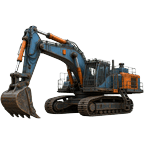



Stuck on a contract? Crusher down? Our operations team is here to keep your quarry running at peak efficiency.

Machine wear, fuel costs, late-game unlocks
Language, reset progress, save data

Contracts, blasting, processing chain
Progress is saved automatically on your device. Every action — contracts, purchases, quarry expansion — is stored locally. No account or cloud sync is required.
On deeper quarry levels: drill holes with a Drill Rig, set charges with Blast Crew (requires a hired Blaster), then execute the blast. A failed blast may damage equipment and cost repair fees. Hire experienced blasters to improve success rates.
The railway train is a late-game machine unlocked at Company Tier 4+. Grow your revenue through contracts and processing to reach higher tiers and unlock massive haul capacity.
Open Settings from the Dashboard (gear icon). Choose from 8 languages: Portuguese (Brazil), English, Russian, Ukrainian, Arabic, Polish, German, or French. The interface updates instantly.
Go to Settings → Reset Game. This permanently deletes all progress, machines, contracts, and inventory. The action cannot be undone — use with caution.
These permissions support optional site documentation features — photographing quarry levels, recording inspection notes, and attaching images to geological surveys. All optional; core gameplay works without them.
Ensure your device runs iOS 16 or later. Try force-closing and reopening the app. If the issue persists, restart your device or reinstall the app. Note: reinstalling removes local save data unless you have an iCloud backup.
Our dispatch team responds to all operational inquiries. Describe your issue and we'll get your quarry back on track.
Contact Support
Typical response time: 1–2 business days
Your operational data stays on-site. Latinkos Operations uses a local-first approach — your quarry empire runs on your device.
Latinkos Operations is a single-player quarry management simulation. We do not operate servers that collect your personal gameplay data. All game progress, settings, and preferences are stored locally on your device.

This data is saved via iOS UserDefaults on your device and is never transmitted to external servers by the app.
The app may request the following permissions for optional in-game features related to site documentation:
Permissions are optional. Denying access does not affect core gameplay.
Latinkos Operations does not integrate third-party analytics, advertising SDKs, or social login providers. The app contains no in-app purchases and does not require an account.
The app is suitable for general audiences. We do not knowingly collect personal information from children. All data remains on the user's device.
We may update this Privacy Policy to reflect changes in the app or legal requirements. The updated date will be shown below. Continued use of the app after changes constitutes acceptance.
Questions about this Privacy Policy? Reach our operations desk: